07 Jan 2026
Introduction to Website Speed and Performance
Let’s be honest—how long do you wait for a website to load? Three seconds? Maybe less? Now imagine your customers doing the same. Website speed is no longer a “nice-to-have”; it’s a survival tool in the digital world.
A slow-loading website is like a shop with a jammed shutter—people won’t wait around. They’ll leave, and chances are, they won’t come back.
Why Website Speed Matters in 2026
Search engines are smarter than ever, users are impatient, and competition is just a click away. Google clearly favors fast websites, and users reward them with trust, engagement, and conversions. Speed directly affects bounce rate, SEO rankings, and sales.
How Slow Page Load Impacts Users and SEO
Slow pages frustrate visitors, reduce session time, and hurt conversion rates. From an SEO perspective, search engines see slow speed as poor user experience—and penalize you accordingly.
Understanding What Causes Slow Page Loads
Before fixing the problem, you need to understand it.
Frontend vs Backend Performance Issues
Frontend issues include heavy images, unoptimized CSS, and bloated scripts. Backend problems usually come from poor hosting, inefficient databases, or outdated server configurations.
Common Mistakes Website Owners Make
Uploading raw images, installing too many plugins, ignoring updates, and choosing cheap hosting—these mistakes quietly slow your website every day.
Quick Check #1 – Analyze Your Website Speed
You can’t fix what you don’t measure.
Best Free Tools to Test Website Speed
Tools like PageSpeed Insights, GTmetrix, and WebPageTest give you instant performance reports. They highlight speed bottlenecks and suggest fixes.
How to Read Speed Test Reports Properly
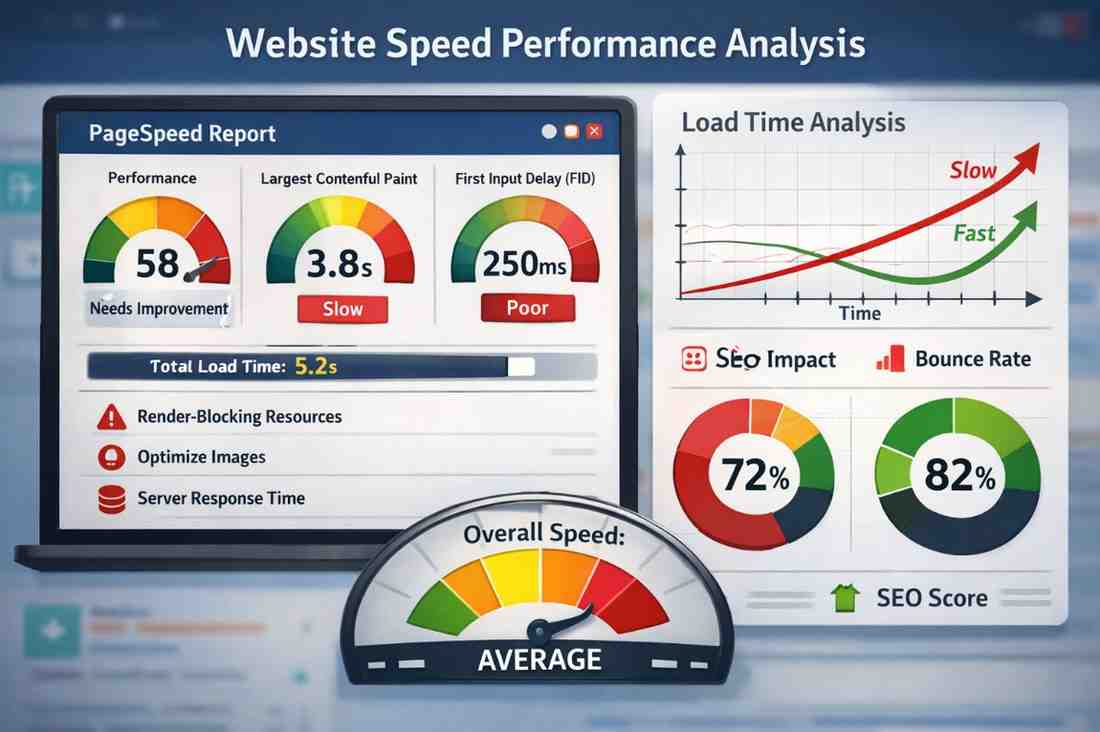
Don’t panic when you see red warnings. Focus on key metrics like Largest Contentful Paint (LCP), First Input Delay (FID), and overall load time.
Quick Check #2 – Optimize Images the Right Way
Images are beautiful—but only when optimized.
Why Heavy Images Kill Speed
Large images consume bandwidth and slow down loading, especially on mobile networks. One oversized banner can delay your entire page.
Best Image Formats for Faster Loading
Use WebP or compressed JPEGs. Always resize images before uploading and enable lazy loading so images load only when needed.
Quick Check #3 – Enable Browser Caching
Caching is like memory for your website.
What Is Browser Caching?
It stores static files (images, CSS, JS) on the user’s device so the site loads faster on repeat visits.
How Caching Improves Repeat Visits
Once cached, your website feels lightning-fast. Less server load, better user experience, happier visitors.
Quick Check #4 – Minify CSS, JavaScript, and HTML
Less code = faster load.
What Is Minification?
Minification removes unnecessary spaces, comments, and characters from code without affecting functionality.
Tools That Help Reduce Code Size
There are plugins and build tools that automate this process, making your website lean and efficient.
Quick Check #5 – Choose the Right Hosting Provider
Your hosting is your website’s foundation.
Shared vs VPS vs Cloud Hosting
Shared hosting is cheap but slow. VPS offers better control. Cloud hosting scales with traffic and offers excellent performance.
How Hosting Affects Speed
A slow server means slow response times—no matter how optimized your website is.
Quick Check #6 – Reduce Unnecessary Plugins
Plugins are helpful, but too many create chaos.
The Hidden Cost of Too Many Plugins
Each plugin adds scripts, database queries, and potential conflicts. The result? Sluggish performance.
How to Identify Speed-Draining Plugins
Disable plugins one by one and test speed. Remove anything that doesn’t add real value.
Quick Check #7 – Use a Content Delivery Network (CDN)
Think of a CDN as multiple mini-servers across the globe.
What Is a CDN and How It Works
A CDN serves your website content from the nearest server to the visitor, reducing load time dramatically.
CDN Benefits for Indian Businesses
For businesses targeting users across India or globally, a CDN ensures fast access regardless of location.
Why Professional Website Development Makes a Difference
DIY fixes work—to an extent. But professional optimization goes deeper.
Role of Expert Developers in Performance Optimization
Experienced developers optimize server configurations, database queries, and frontend performance holistically.
Sanity Softwares – Website Development Company in Patna
This is where Sanity Softwares, a trusted website development company in Patna, stands out. With a focus on speed, performance, and SEO-friendly architecture, Sanity Softwares builds websites that load fast, rank better, and convert more. Their development approach ensures clean code, optimized assets, and scalable performance—exactly what modern businesses need.
Long-Term Website Speed Maintenance Tips
Speed optimization isn’t a one-time job.
Regular Audits and Updates
Run speed tests monthly, update plugins/themes, and clean databases regularly.
Monitoring Performance Over Time
Use analytics and performance monitoring tools to catch issues before they affect users.
Conclusion
Speed Is Not Optional, It’s Essential
A fast website isn’t about technology—it’s about trust. When your site loads instantly, users stay longer, search engines reward you, and conversions improve naturally. By following these 7 quick checks and working with experienced developers when needed, you ensure your website stays competitive, efficient, and future-ready.
